

Updated November 12, 2026 · 10 min read
Buy iPhone Duo: Delivery Dates and Pickup Near Me
Check iPhone Duo stock free, find nearby Apple Stores, and compare delivery with pickup before completing your order at Apple.
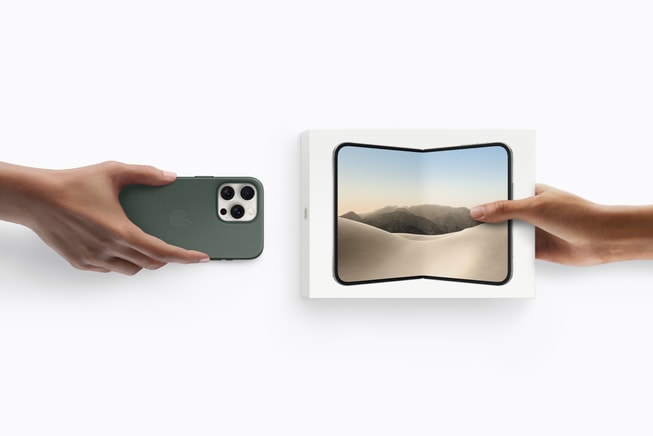
Buy iPhone Duo: check your model and location first
Ready to buy iPhone Fold? Apple sells its foldable phone as iPhone Duo. Start with the Store Locator to find nearby Apple Stores, then open live inventory to check your preferred configuration free. If you find a suitable option, continue to Apple to confirm the purchase and pickup arrangement.
If home delivery is easier, go straight to Apple’s iPhone Duo buying page and enter your shipping details for an estimate. Do not treat a delivery date quoted for another model, address or earlier shopping session as your own. Your useful comparison is the delivery option and pickup option available for the same phone when you are ready to buy.
This guide is a checkout plan, not a promise of today’s stock. We do not assign a current shipping week, claim a nearby store has a certain number of phones or promise same-day pickup. Use the live checks to find possibilities, and let Apple confirm the final arrangement before you spend time traveling.
iPhone Fold preorder dates are not delivery estimates
If you arrived through an iPhone Fold preorder search, distinguish the launch schedule from your order’s arrival date. Apple announced preorders beginning October 16, 2026, at 5 a.m. Pacific Time, with availability beginning October 23. Those are launch milestones, not evidence that an order placed now will arrive within a particular number of days.
| Apple product name | iPhone Duo |
|---|---|
| Preorders opened | October 16, 2026, at 5 a.m. Pacific Time |
| Availability began | October 23, 2026 |
| Your delivery estimate | Check Apple for your configuration and address |
| Your pickup option | Confirm the selected Apple Store at checkout |
As of this guide’s November 12 check date, the announced preorder opening is in the past. You do not need to wait for that launch time to shop. Instead, check current purchase options. Our release-date guide covers the timeline if you need background, but the buying page is where your current fulfillment choice is established.
Keep three dates separate: the product’s release date, the estimate shown while shopping and the information attached to your actual order. If those differ, do not try to reconcile them using an old launch article. Review your order details and contact Apple if you need clarification about a purchase already placed.
Choose your exact model before checking dates
Use the iPhone Duo models, colors and prices hub to compare the complete lineup before making your shortlist. Our Products hub also brings together cases and HomeView if you are planning more than one purchase.
Set your storage, color and payment preference before comparing options. Otherwise, you can spend time finding a nearby phone that is not the one you intended to buy. Make a short list with a first choice and, only if acceptable, one alternative. That keeps a fast-moving stock result from making the budget decision for you.
Our iPhone Fold price guide lists the US starting price of $1,999 for 256GB before tax, with higher-capacity models costing more. Check the final price at Apple. Do not assume that moving up a storage tier is a free way around an availability problem simply because the monthly difference looks small.
If capacity is the sticking point, use the iPhone Duo storage guide before opening checkout. Decide what you need for the time you expect to keep the phone. The goal is to choose a suitable model once, not repeatedly change your search because a different capacity happens to appear nearby.
Apple lists Star White and Night Sky as the two colors. Decide whether either works for you or whether one is essential. Being flexible can widen the choices you are willing to consider, but it does not guarantee earlier stock. Review the color guide if you want to settle that choice first.
Write down your acceptable alternatives
Record the maximum price, acceptable colors and farthest store you would genuinely visit. If another household member is helping, share those details. Two people checking different configurations can otherwise report apparently conflicting results. A simple agreed shopping list is more useful than repeatedly asking whether “the foldable iPhone” is available somewhere.
Apple Store pickup near me: the shortest buying path
For an Apple Store pickup near me search, begin with the Store Locator. Choose stores you can realistically reach, then check live inventory for your selected configuration. A nearby address alone does not establish that the store can fulfill your order, so keep the store search and stock check together.
- Choose the phone: match storage and color to your shopping list.
- Choose realistic stores: include travel time, not just distance.
- Continue to Apple: verify the same configuration and store.
- Check the pickup option: read what Apple offers before paying.
- Wait for instructions: do not treat a stock result as permission to collect.
When Apple offers a pickup option, read the store name carefully. Nearby branches can be easy to confuse, especially when a search includes a wider area. Confirm the address and collection arrangement before committing. A phone available farther away is useful only if the trip and offered timing fit your day.
Do not assume the first visible result remains available while you discuss accessories or financing. Decide those essentials beforehand, but still read the final checkout carefully. Speed is helpful only when you are buying the correct phone on acceptable terms. It is not a reason to skip the amount due or select an unfamiliar store.
Pickup stock does not establish demo availability
If you want to handle the foldable before buying, contact the store separately about display units. A pickup result tells you about a possible purchase route, not what is on the demonstration table. If trying it first is essential, resolve that question before making a special trip or changing your intended purchase.
Compare delivery with pickup using the same phone
Apple’s Newsroom describes both home delivery and local Apple Store pickup for iPhone Duo. It does not give every buyer the same arrival date. Open the Apple buying page with your exact configuration and shipping address, note the estimate, then compare that with the pickup option you can actually complete.
Keep the comparison practical. Pickup can involve travel, parking and time away from work. Delivery requires an address and arrangement that fit your circumstances. An option that appears earlier on a screen is not automatically more convenient. Choose the one you can follow through on without relying on an unconfirmed assumption.
If your delivery estimate is a range, plan around the range rather than treating its first day as a promise. If you have a trip, gift date or work deadline, leave room for uncertainty. This guide cannot turn an estimate into a guarantee, and a stock alert does not provide a separate delivery commitment.
Already have an order?
Check the existing order before buying again. Compare its details with the new option, then review cancellation and return terms if you are considering a change. Do not create a second expensive order merely to hold a possibility while deciding. Our Apple return-policy guide is a useful starting point, but your order’s applicable terms remain important.
Prepare payment and trade-in before the final check
Have your preferred payment method and account information ready. If you want financing, leasing or a carrier offer, read its requirements before you find a pickup opening. Apple offers several ways to pay, but they are not interchangeable. A lease payment, a financed purchase and a full-price purchase need different comparisons.
For carrier-connected purchases, use our Verizon, AT&T and T-Mobile comparison. Confirm the offer for your own account rather than assuming that buying at Apple removes carrier requirements. Keep service charges and promotional credits separate from the amount you pay for the device so the final quote remains understandable.
If trading in, identify the exact old device and answer condition questions accurately. Read the quote and handover instructions attached to your order. Do not wipe your only working phone before you have prepared the transfer you need, and do not assume a headline maximum is the value Apple will assign to your device.
Leave optional accessories until the core purchase is clear. A case or protection plan can be worthwhile, but neither should distract you from checking the model, tax, payment arrangement and fulfillment choice. Read the complete total before submitting. The right nearby phone is still the wrong purchase if its final terms do not fit your budget.
If your first choice is unavailable, change one thing
Start with location. Check another store within your real travel limit while keeping the same phone selected. Next, consider the alternative color you already approved. Only reconsider storage if the different capacity makes sense for your needs and budget. Changing one condition at a time keeps you in control of the purchase.
If no suitable pickup option appears, compare Apple’s current delivery estimate. Waiting for delivery can be more sensible than buying a configuration you do not want or making a long, uncertain trip. “Unavailable at my first store” is not the same as “unavailable everywhere,” but it is also not evidence that another store will receive stock tomorrow.
There is no restock hour promised in this article. Do not build your plan around an unsupported claim that a store always adds phones at a particular time. Return to the free checks when convenient, or consider an optional alert if monitoring one store fits your situation. Neither approach can make inventory appear.
Our nearby-stock guide offers a more detailed search approach. Keep your approved alternatives visible while checking. If the only available model breaks your budget or requires an impractical trip, leave it. Buying sooner is not a saving when it means buying the wrong phone.
Finish checkout, then follow Apple’s collection instructions
Before submitting, reread the configuration, store or shipping address, payment method, trade-in choice and final total. Check that the fulfillment option still matches the one you intended to select. A final review is especially important if you moved between several stores or changed a color during the search.
After purchase, keep the order confirmation and follow Apple’s instructions for the next step. For pickup, check the readiness message and any collection requirements rather than traveling on the strength of the earlier stock listing. For delivery, use the order’s own updates instead of returning to a general launch article for timing.
The buying path is straightforward: choose your phone, check nearby inventory free, compare Apple’s delivery and pickup options, and complete the order that fits. Start with the Store Locator or live inventory. Apple, not a search result or alert, confirms the pickup arrangement.
Adding Apple's $79 Case or $129 Folio with Kickstand to the same order? See which iPhone Duo case to buy.
Before you pay, check the holiday return window and carrier vs Apple.
Questions and answers
Where can I buy iPhone Duo?
Apple offers iPhone Duo through its website and Apple Store app, with home delivery and local Apple Store pickup options. Check your exact configuration and location before paying.
When did iPhone Fold preorders begin?
Apple announced iPhone Duo preorders for October 16, 2026, at 5 a.m. Pacific Time. Availability began October 23, 2026. Those launch dates are not a current delivery estimate.
How do I find Apple Store pickup near me?
Start with the Store Locator, then check free live inventory for your preferred configuration. Continue to Apple checkout to confirm the store and available pickup option.
What is my iPhone Duo delivery date?
Use Apple's delivery estimate for your selected configuration and shipping address. This article does not quote a universal current delivery date or guarantee a delivery window.
Is checking stock free?
Yes. Stock browsing is free. Optional paid alerts start at $0.99 for 1 hour with the 1hr Trial Pass, or $1.99 for 72 hours with Lite, covering one alert store. Alerts do not reserve a phone or guarantee stock.
Should I travel as soon as a store shows stock?
No. Complete the purchase and follow Apple's pickup instructions before traveling. A stock listing or alert is not a pickup confirmation.
More answers about checks, alerts and plans are in the Produce Checker help and FAQ, and more guides are on the iPhone Duo stock blog.
Produce Checker is not affiliated with Apple Inc. Apple launch information, buying options and linked guides checked November 12, 2026. Launch dates are not current delivery estimates. Stock and alerts are not guaranteed; Apple confirms pickup at checkout.