

Updated November 14, 2026 · 11 min read
Touchscreen MacBook Pro: the first Mac you can touch.
Apple's first touchscreen Mac is here. This guide covers the road from rumor to release, specs, colors, pricing, how macOS changed for Touch, what reviewers love and why it pairs so well with iPhone Duo.
Deep dive
Touchscreen MacBook Pro
What is the touchscreen MacBook Pro?
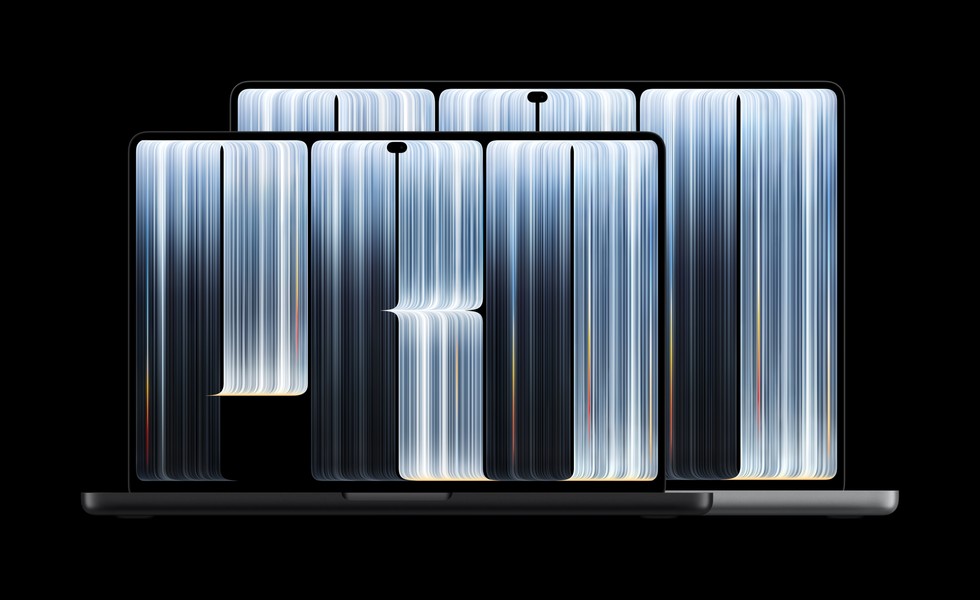
The MacBook Pro with PROLED XDR Display is the first Mac you can touch. It pairs a tandem OLED display that Apple calls "the world's best laptop display" with Touch, a Dynamic Island, M5 Pro or M5 Max chips and up to 24 hours of battery life, in a thinner and lighter design (Apple Newsroom). It comes in 14-inch and 16-inch sizes and starts at $2,899.
At a glance
| Announced | October 28, 2026 |
|---|---|
| Available | November 6, 2026 |
| Price | From $2,899 (14-inch), $3,399 (16-inch) |
| Display | PROLED XDR tandem OLED with Touch, up to 2000 nits, 120Hz |
| Chips | M5 Pro or M5 Max |
| Memory and storage | Up to 128GB and up to 16TB |
| Weight | About 3 pounds (14-inch), 4 pounds (16-inch) |
| Colors | Silver, space black |
| Battery | Up to 24 hours |
From rumors to release
Years of anticipation
Mac fans asked for a touchscreen for over a decade, and reports of an OLED MacBook Pro with touch circulated for years before launch. The Verge noted it "was rumored for years before finally becoming a reality, much like the new iPhone Duo" (The Verge). Apple took its time to build touch into macOS properly instead of bolting it on, and reviewers agree the wait paid off.
The "Pro and tell" teaser
Apple hinted at the new Mac on October 19 with its "Pro and tell" teaser. On launch morning, Apple CEO John Ternus posted, "You've gotta touch it to believe it" (9to5Mac).
Announcement and launch
Apple announced the touchscreen MacBook Pro on October 28, 2026, at an event in Los Angeles, alongside the M6 iMac, a 14-inch M6 MacBook Pro and an OLED iPad mini. Preorders opened that day, and the laptop arrived in stores and on doorsteps on November 6 in 30 countries (TheMacPost). It's one of the first Apple launches under John Ternus, alongside iPhone Duo.
Specs
- PROLED XDR display: tandem OLED with two self-illuminating pixel layers, up to 2000 nits peak HDR and SDR brightness, 10,000,000:1 contrast, 120Hz variable refresh rate and both P3 and Adobe RGB color (Apple Newsroom).
- Touch: the touch sensor is built directly into the display panel, not layered on top, for lower latency.
- Dynamic Island: replaces the notch and is home to Spotlight, Live Activities and Siri AI.
- Chips: M5 Pro or M5 Max, with up to an 18-core CPU and 40-core GPU on M5 Max.
- Memory and storage: up to 128GB unified memory and up to 16TB of storage, a first for MacBook Pro.
- Design: about half a millimeter thinner (14-inch) and nearly a millimeter thinner (16-inch), and noticeably lighter, with a redesigned hinge for stability while touching (MacRumors).
- Sound and camera: six-speaker system with 50 percent deeper bass, studio-quality mics and a 12MP Center Stage camera.
- Connectivity: Thunderbolt 5 and Wi-Fi 7 (Macworld).
- The glowing Apple logo is back on the lid for the first time since 2016.
Colors and finishes
Choose silver or space black. Both offer a standard glossy display or a nano-texture option for $150 more, which cuts glare in bright rooms (9to5Mac). Apple also uses an oleophobic coating that resists fingerprints, and CNBC found that it works (CNBC).
How macOS changed for Touch
The touchscreen MacBook Pro runs macOS 27, still fully a Mac, with thoughtful updates for touch (Apple Newsroom):
- Natural gestures: swipe to scroll, pinch to zoom photos, drag slides between presentations, double-tap a window to fill the screen, or flick it to tile into place.
- Every app works on day one: macOS translates touches into clicks, so anything you can click, you can tap (CNBC).
- Bigger targets when you need them: controls like the window close button expand as your finger approaches.
- Dynamic Island on Mac: tap to answer a call, accept an AirDrop, pause music or ask Siri AI.
- Developer tools: updated gesture APIs, with touch support coming from apps like Microsoft Office, Adobe Lightroom, DaVinci Resolve, Blender, Notion, Canva and Zoom.
- Pro workflows: draw across the whole screen, play software instruments, and test iPhone and iPad apps with real touch.
Macworld's Roman Loyola wrote that touch is "very responsive, with no noticeable delay" and came away "a believer" (Macworld). Our iOS 27.3 beta guide covers what's new on the iPhone side.
A perfect partner for iPhone Duo
The touchscreen MacBook Pro and iPhone Duo were made for each other. Both are new for 2026, both bring the Dynamic Island, and together they make the most of Apple's Continuity features:
- iPhone Mirroring with touch: mirror your iPhone Duo on the Mac and tap and swipe its apps directly on the screen. Gizmodo said touch makes iPhone Mirroring "more intuitive" (Gizmodo, via Latest Apple News).
- Live Activities everywhere: calls, music and timers show up in the Dynamic Island on both devices.
- AirDrop and Handoff: send photos from iPhone Duo and accept them with one tap in the Mac's Dynamic Island, then pick up where you left off.
- For developers: test touch in iPhone apps right on the MacBook Pro display.
Both are popular and can sell out at nearby stores. Produce Checker tracks iPhone Duo pickup stock at every US Apple Store, so you can grab one when you pick up your Mac. Save the store you visit most as a Core store, and see our complete iPhone Duo guide and how to find iPhone Duo in stock.
Pricing
US starting prices (TheMacPost):
| 14-inch, M5 Pro | $2,899 |
|---|---|
| 16-inch, M5 Pro | $3,399 |
| 14-inch, M5 Max | $4,499 |
| 16-inch, M5 Max | $4,799 |
| Education | From $2,749 |
| Nano-texture display | +$150 |
Most buyers will be happy with the 14-inch M5 Pro, which brings the full PROLED display and Touch. Creators who render video or 3D should consider M5 Max. Apple Card Monthly Installments can spread the cost; our Apple Card installments guide explains how it works, and the Apple Store pickup guide covers same-day pickup.
Reception
Reviews are outstanding. The Verge called it "a touchscreen winner" and "one of the most impressive" laptops Apple has ever made (The Verge). Macworld called it "simply irresistible," "Apple's finest MacBook to date and probably the best laptop ever made" (Macworld). Trusted Reviews said it's "an improvement in just about every way" and called the OLED screen "glorious" (Trusted Reviews). MacRumors praised true blacks with no blooming and brightness that holds up outdoors (MacRumors).
Reviewers loved touch most for editing photos, watching video, showing work to someone beside you and using iPhone Mirroring.
What's next
Apple hasn't announced future models, but the launch points to an exciting road ahead:
- More touch-ready apps: Apple's new gesture APIs mean more apps will add touch-first controls in the months ahead.
- Apple Pencil: it's one of the most requested features from early owners (Macworld Podcast).
- Touch across more Macs: fans hope PROLED and Touch reach more Macs over time.
Treat these as hopes, not announcements. For iPhone rumors, see our 2027 iPhone rumors roundup.
Questions and answers
Is there a touchscreen Mac?
Yes. The MacBook Pro with PROLED XDR Display, announced October 28, 2026, is the first Mac with a touchscreen. It comes in 14-inch and 16-inch sizes.
How much is the touchscreen MacBook Pro?
It starts at $2,899 for the 14-inch model with M5 Pro and $3,399 for the 16-inch model with M5 Pro. M5 Max models start at $4,499 (14-inch) and $4,799 (16-inch). Education pricing starts at $2,749.
When was the touchscreen MacBook Pro released?
Preorders opened October 28, 2026, and it went on sale in stores and online on November 6, 2026.
What colors does the touchscreen MacBook Pro come in?
Silver and space black, each with a standard or nano-texture display option.
Do I have to use the touchscreen?
No. Touch is optional. The keyboard and trackpad work exactly as before, and touch works alongside them.
Does iPhone Mirroring work with touch?
Yes. With iPhone Mirroring you can tap and swipe your iPhone's apps right on the Mac screen, which reviewers called more intuitive than clicking.
Does it work with Apple Pencil?
Not at launch. Touch is designed for your fingers.
More answers about checks, alerts and plans are in the Produce Checker help and FAQ, and more guides are on the iPhone Duo stock blog.
Produce Checker is not affiliated with Apple Inc. Product details from Apple Newsroom, checked November 14, 2026.